Build pipelines
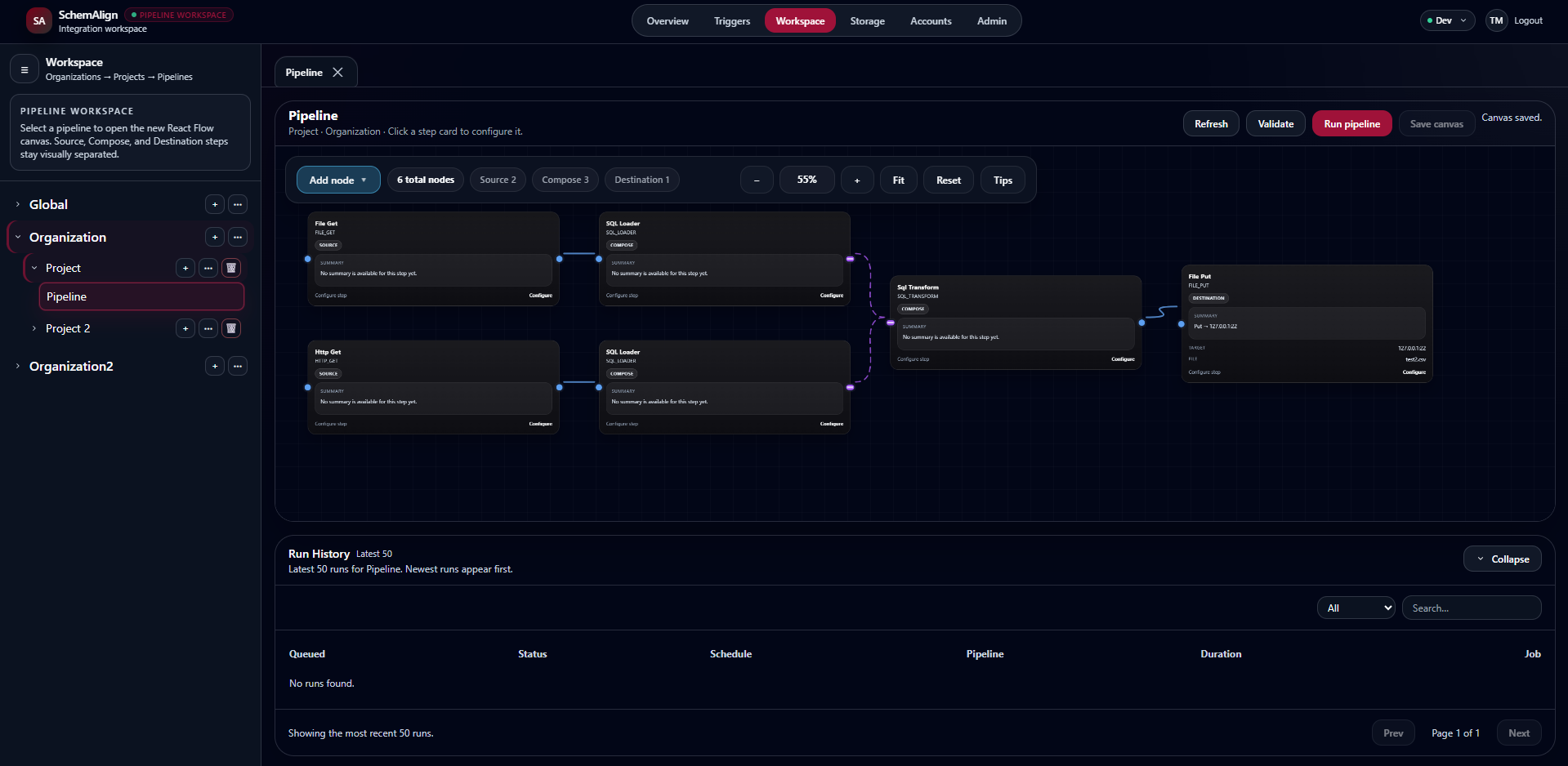
Create source, compose, transform, and destination steps for institutional data movement and operational workflows.
SchemAlign helps colleges and universities build, run, and monitor integrations with SQL-based transformations, managed file automation, private-network connectivity, institution-specific extensions, and the operational visibility higher education teams need.
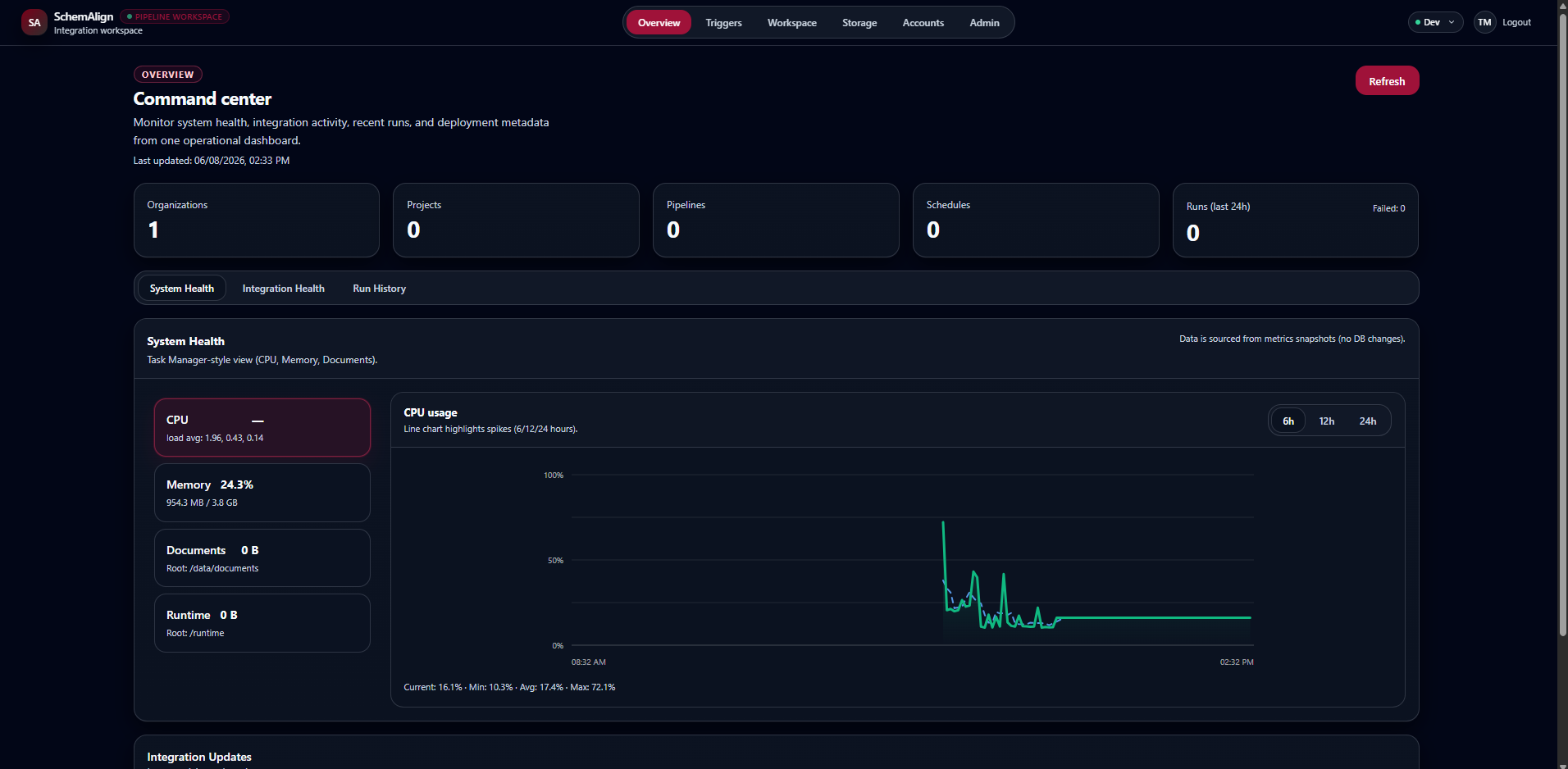
SchemAlign brings pipeline development, SQL-based transformation, managed file automation, private-network connectivity, custom node development, and operational visibility into one focused integration workspace.
Create source, compose, transform, and destination steps for institutional data movement and operational workflows.
Use SQL-based transformation patterns that technical teams can read, test, review, and maintain.
Receive files through managed SFTP and start pipelines when stable files arrive instead of relying only on scheduled polling.
Use SchemaDock as a governed connection route for supported outbound pipeline connections that need access to private networks.
Use Extend to develop reusable Source and Destination connectors for institution-specific systems and workflows.
View runs, connector status, job activity, system health, storage details, and integration outcomes from one workspace.
The pipeline canvas organizes source, compose, SQL transformation, and destination steps so teams can understand how data moves and where logic lives.
Many higher education teams know their data, understand SQL, and need a right-sized integration workspace that supports local systems, security review, practical operations, and budgets that cannot absorb unnecessary enterprise-suite overhead.
Keep transformation rules closer to the language many enterprise data teams already use instead of burying logic in complicated mapper-only workflows.
Use a controlled Extend area for institution-specific connectors, local APIs, and specialized workflows that may not exist in a vendor-managed connector catalog yet.
Documented connector patterns, implementation guardrails, and sandboxed extension workflows help teams build institution-specific connectors with review and control.
SchemAlign is shaped around institutional systems, affiliations, identity workflows, vendor review expectations, and the lean teams behind higher-ed operations.
SchemAlign is designed for lean higher education teams that need visibility, SQL-readable logic, custom connector options, and vendor-review support without taking on a platform that is larger or more complex than the job requires.
SchemAlign includes the supporting infrastructure teams need around integrations: managed file exchange, governed private-network connectivity, and a controlled path for building reusable institution-specific nodes.
Route supported outbound connections through a customer-controlled SchemaDock without requiring the target service to be publicly exposed.
Explore SchemaDockProvide governed SFTP spaces for file exchange and use File Arrival triggers to start pipelines when stable inbound files appear.
Explore file automationDevelop and test institution-specific Source and Destination connectors so local requirements can become reusable pipeline building blocks.
Explore ExtendSchemAlign MCP gives compatible AI assistants a governed, read-only path to authorized SchemAlign context. Developers can use the AI tools they prefer to understand projects, pipelines, and sanitized pipeline definitions while SchemAlign remains authoritative for identity and access.
Use compatible AI tooling to understand pipeline structure, inspect configuration, create documentation, and reason about existing integration logic.
AI assistants do not receive blanket platform access. User permissions and organization MCP policy remain authoritative on protected requests.
The current MCP surface can inspect authorized context but cannot create, edit, or execute pipelines or change SchemAlign permissions.
SchemAlign's supported connector catalog continues to grow, while Extend provides a controlled path for authorized teams to build reusable Source and Destination nodes when an institution-specific system or workflow is not covered by a built-in option.
Use built-in connector options for supported integration patterns, with availability continuing to expand as the product matures.
Authorized administrators can develop and test institution-specific Source and Destination connectors for local APIs, files, databases, and specialized workflows.
See how Extend fitsCustom nodes follow controlled development and testing patterns so institution-specific capability can be added without treating extension code as an unmanaged shortcut.
SchemAlign supports teams that need clearer ways to connect systems, automate file exchange, reach private services, validate SQL-based transformations, and extend integration coverage around institution-specific requirements.
SchemAlign is built with higher education vendor review expectations in mind, including role-based access, administrative controls, structured deployment practices, and documentation support for institutional review processes.
Detailed HECVAT and accessibility conformance documentation can be provided to authorized institutional representatives through the demo and security request process.
Read the security overviewStart with a product conversation, request vendor review documentation, or ask whether SchemAlign fits your institution's integration, identity, SQL transformation, or connector extension needs.
Share your institution, role, and integration goals.
02 Security overviewReview SchemAlign's public security and compliance posture.
03 Product docsVisit the SchemAlign documentation site for product guidance, setup notes, and evaluation resources.
04 AccessibilityLearn how accessibility review documentation is handled.
Use the request form to start a demo, early access, or pilot-fit conversation about your institution's integration, SQL transformation, connector extension, identity, data, or vendor review needs. We review submissions and route them internally to the appropriate SchemAlign contact.
Use this form to request a demo, ask a product question, discuss early access or pilot fit, or start a conversation about security, accessibility, vendor review, billing, privacy, or deployment fit.
Open Contact Form